
Blizzard explains how to play with a gamepad
Blizzard has published a full guide to playing World of Warcraft: Forever with a gamepad. Every XInput controller works, with Xbox and PlayStation icons on screen. Three sets of four action bars give 84 slots. Gamepad support is still a working beta.
Turning it on
Press Escape, open Options and choose Gamepad under Gameplay. In the Gamepad settings you adjust the camera, the HUD Modifier, the Frame Focus Style, the action bars, targeting and the raid targeting options. On a controller with lights, the light turns red for a Horde character and blue for an Alliance character.
The buttons
Blizzard uses the Xbox names for the buttons:
| Button | What it does |
|---|---|
| Left stick | Move |
| Right stick | Camera |
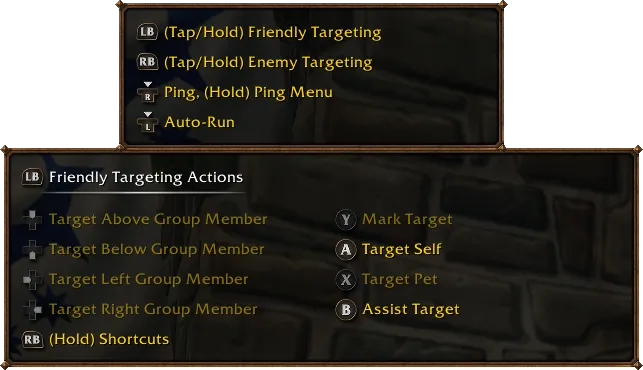
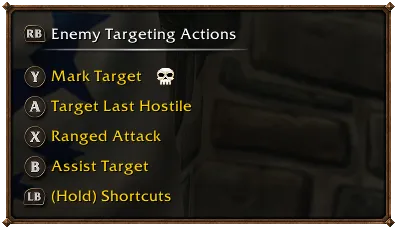
| LB | Friendly target |
| RB | Hostile target |
| X | Interact |
| A | Jump |
| B | Back |
| Y | Inspect |
| LT, RT, LT + RT | Switch action bar while you hold them |
| Menu | Main menu |
| View | Change Focus Frame |
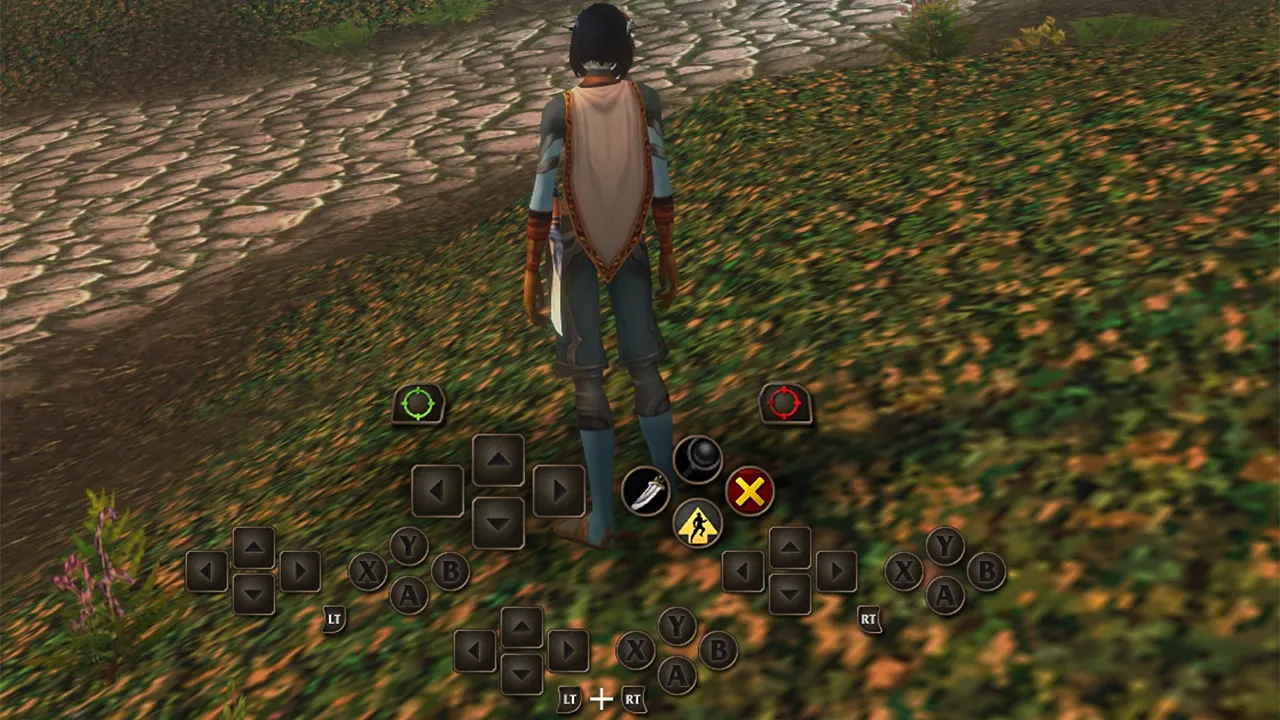
The face buttons can also hold spells. The interface on screen follows the layout of the controller, so every panel sits where its buttons are.
Four bars, three sets
The HUD shows four action bars with the same button layout. Hold LT, RT or both to switch, and let go to return to the first bar. A Mage can put four spells on one direction of the D-pad:
| Buttons | Spell |
|---|---|
| Up |  Polymorph |
| LT + Up |  Fireball |
| RT + Up |  Frostbolt |
| LT + RT + Up |  Blizzard |
That is an example, not a fixed layout. On top of that there are three sets of action bars: hold LB + RB and press left or right on the D-pad. A set has four bars with 28 slots, 84 slots for all three sets.
Shortcuts
Hold both shoulder buttons and press a third button:
| Shortcut | Opens |
|---|---|
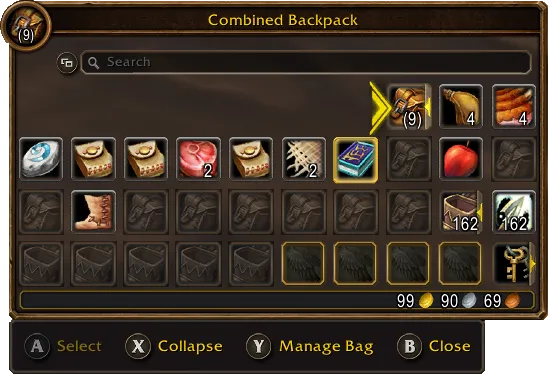
| LB + RB + B | Backpack |
| LB + RB + Up | Quest tracker |
| LB + RB + Down | Chat |
| LB + RB + Y | Buffs |
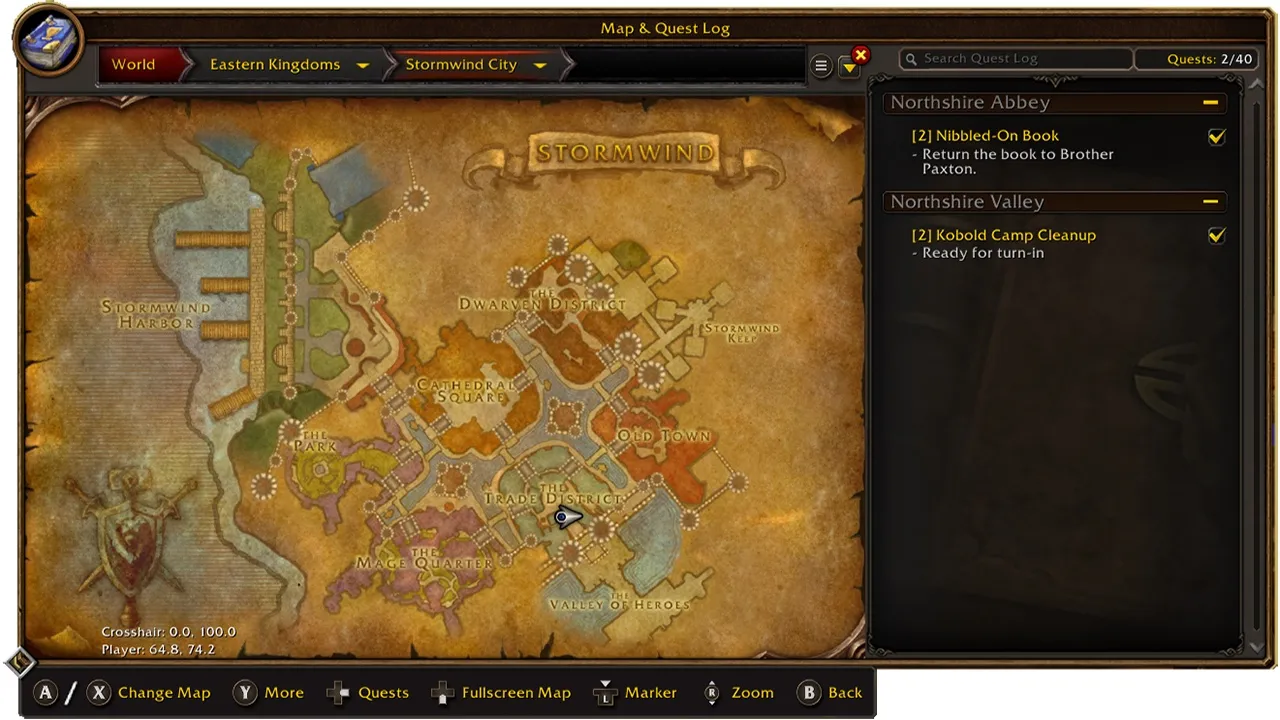
The same screens are in the radial menu. Typing in chat still needs a keyboard. A legend in the top left corner shows the controls and grows when an action has more options. Most screens have a bar at the bottom with their buttons, but not every screen has one yet.
Still in beta
Blizzard calls gamepad support a working beta. Bags and menus get more changes to make them easier with a controller. Playing without a keyboard at all is the goal for the longer term.
Forever is not coming to consoles: Xbox confirmed that the game stays on PC and Mac. The other tools built into the game are in our guide to the built-in UI tools.
Source: Blizzard Entertainment